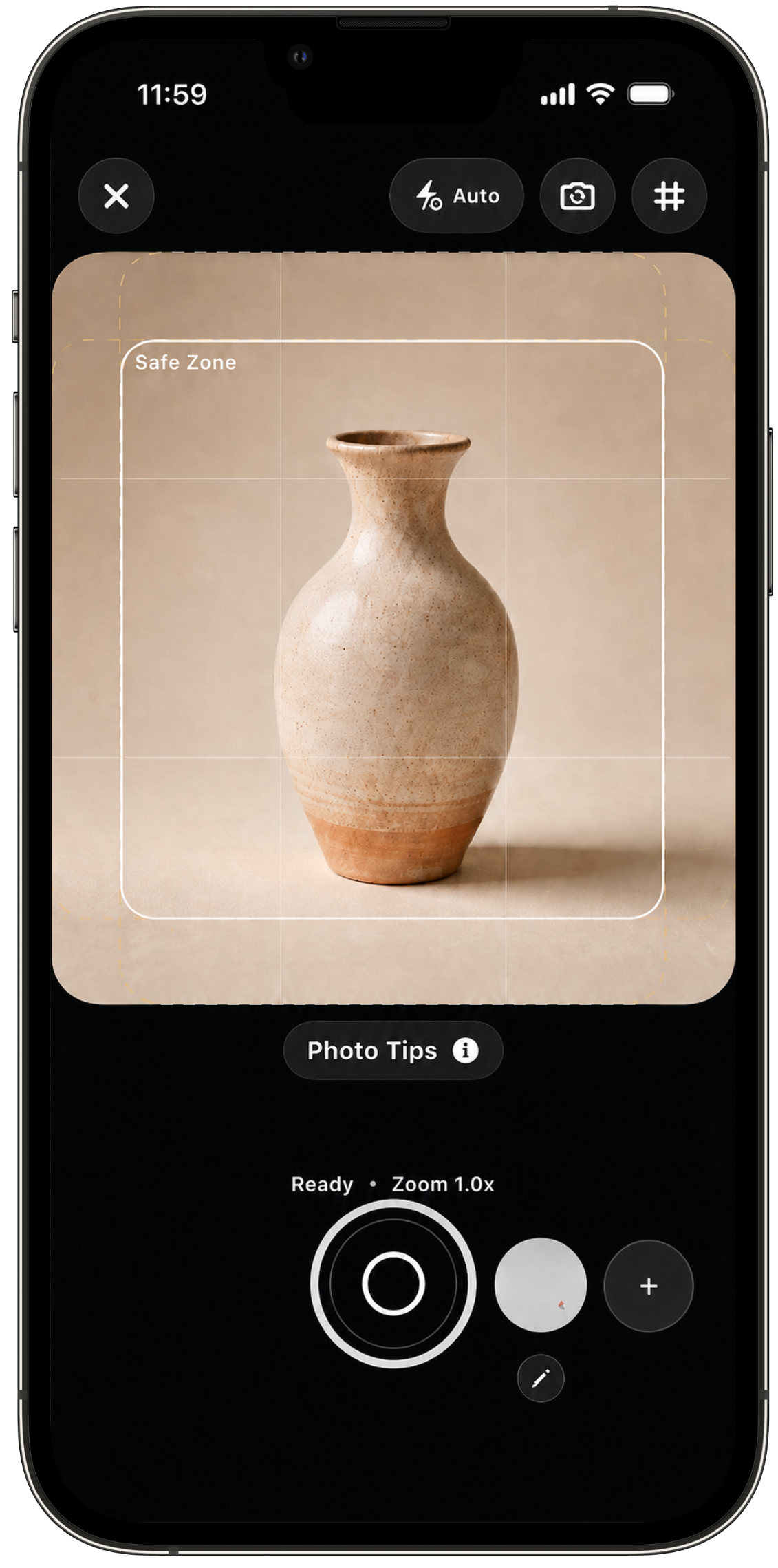

Shoot with the listing thumbnail already in mind.
Product photo problems often show up after the shot: the edge is cropped too tightly, the logo placement feels off, or the lighting needs work before the image belongs in the listing.
Smart Camera helps you make those choices while the product and setup are still there. Use crop guides to leave room around the product before it becomes a thumbnail, compose with photo overlays, then use quick edits while the setup is still fresh.
Safe Crop Guide
Leave enough room for handles, labels, edges, and small handmade details before you tap the shutter, so the listing thumbnail does not feel cramped.
Photo overlays
Place your logo or shop mark while composing the photo instead of guessing after the image is already taken.
Reusable overlays
Use saved guides across photo sessions so similar products line up with more consistent spacing, angle, and placement.
Photo edits
Adjust lighting and contrast while the product is still set up.